
Top Keywords
- No keywords yet.
Word Counter – Simple and Useful Writing Tool
Word Counter is a free and easy-to-use online tool that helps you count words, characters, sentences, paragraphs, and pages while you write. It also checks for spelling and grammar mistakes. Just start typing in the box or paste your text into it. The word and character count will appear at the top, and any errors will be underlined. You’ll also see your most used keywords on the side.
What is WordCounter?
WordCounter is more than just a counter. It also helps you improve your word choice and writing style, and it can even check for grammar issues and plagiarism (if you choose to use that feature).
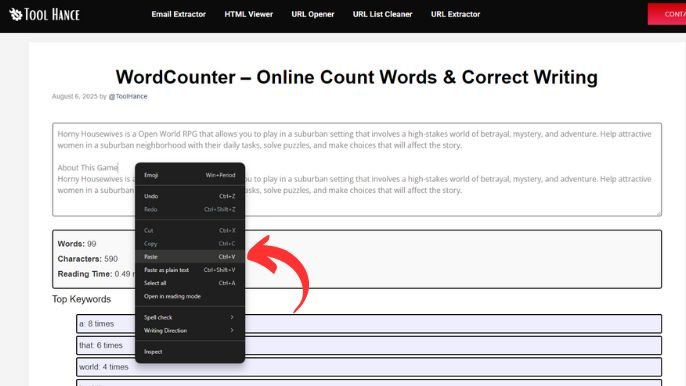
To use it, simply place your cursor in the box and start typing. The tool updates your word and character count in real-time as you type, delete, or edit. You can also paste text from another program. Thanks to the Auto-Save feature, you won’t lose your work even if you leave and return later.
Why Word Count Matters
Sometimes, you need to write a specific number of words for an essay, article, story, book, or report. WordCounter helps you stay within the required word limits.
Extra Features
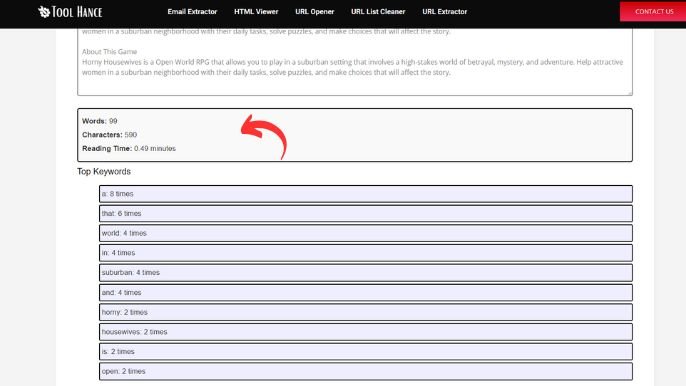
- Keyword Analysis: See your top 10 keywords and how often you use them. This helps you avoid repeating the same words too much.
- Reading and Speaking Time: Find out how long it takes to read or speak your text.
- Reading Level: Check the education level needed to understand your writing.
How Can I Use WordCounter Online?
Using this tool is very simple:
- Open the Tool: Go to Toolhance.com. Open WordCounter Online.
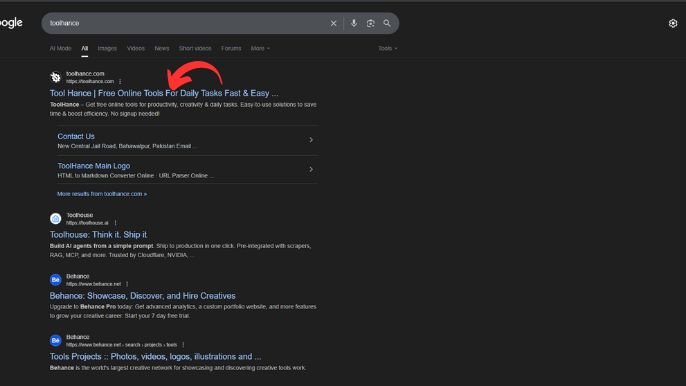
- Paste Your Text: Copy your text and paste it into the text box.
- Check the Count: Instantly see the number of words, characters, and more.
- Edit & Optimize: Use the word count to adjust your writing as needed.
Created by: Tool Hance | Best SEO Tool Services Online