
Paste your text below to extract all URLs:
What is a URL extractor?
We often have to extract website links (URLs) from documents, pages, and text when working online. It is time-consuming to copy each link individually. URL Extractor is the solution to this problem.
URL Extractor, an online tool, automatically extracts all links (URLs), from any text. This tool allows you to quickly extract all links from your text.
Who created this tool?
The tool was developed and published by Toolhane.
Toolhane offers simple, useful and free tools.
How to Use URL Extractor Online?
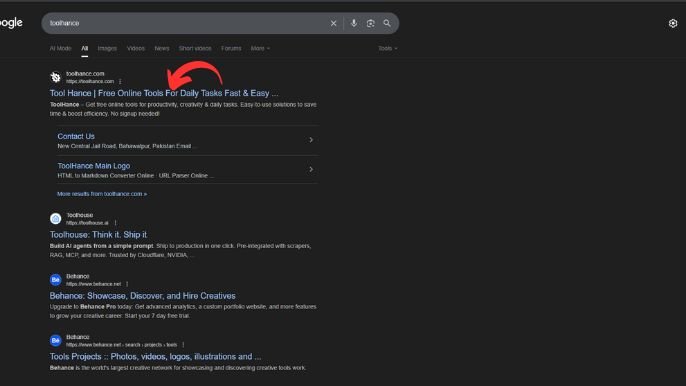
Open the Tool
- Go to Toolhance.com URL Extractor Online.
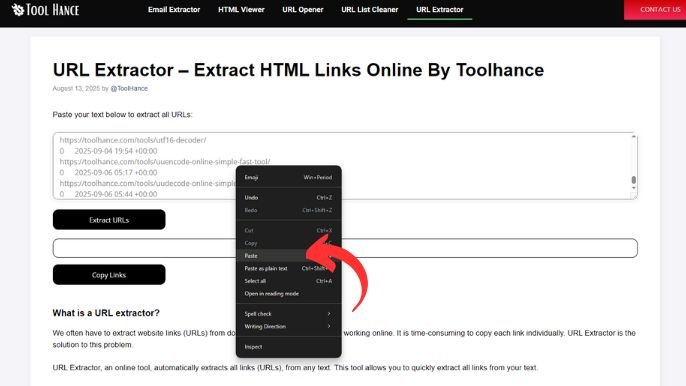
Paste Your Content
- Copy any text, webpage source, or document that contains URLs and paste it into the input box.
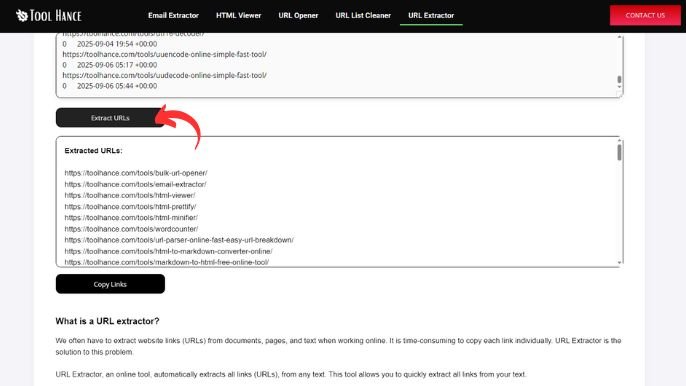
Click Extract
- Press the Extract button. The tool will instantly find all valid URLs.
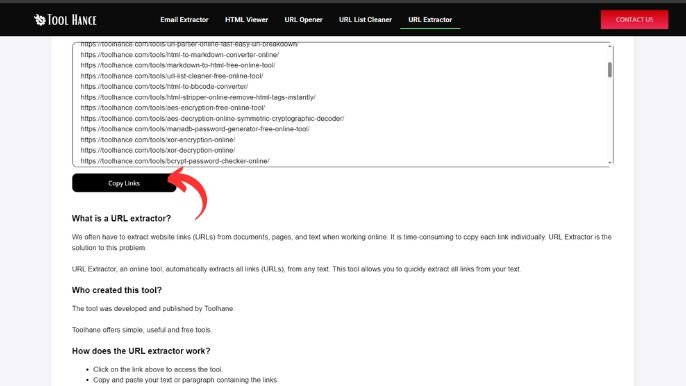
Get Your Results
- You’ll see a clean list of links. You can copy them, save them, or download them easily.
Who can benefit from this tool?
- Web developers
- Researchers
- SEO and marketing professionals
- Students doing online research
- Bloggers and content creators managing links
Key Features
- Online 100% free
- Sign up is not required
- Easy to use and fast
- Compatible with both desktop and mobile devices
Final words:
Toolhane’s tool, URL Extractor, is ideal for those who want to save their time by extracting all URLs simultaneously. It’s simple, free, and useful!
FAQs (Frequently Asked Questions)
- Does the URL Extractor Tool come free of charge?
Yes, absolutely! It is absolutely free. The tool is 100% free.
- What type of text can I insert into the tool?
You can paste any text, including emails, web pages or random paragraphs. The tool will scan all text to extract valid URLs.
- This tool stores or saves my data?
No. The URL Extractor will not save, share, or store any data that you paste. You can be assured that your privacy is protected.
- Can I use the tool on my mobile?
Yes! Yes! The tool is designed to be easy to use and responsive on any device.
- How many URLs is it capable of extracting at once?
No limit is set. It will allow you to paste large amounts of text and extract the URLs. Make sure that your browser is able to handle the size.
Designed by: Tool Hance | Visit our rankings of the Best SEO Companies.